

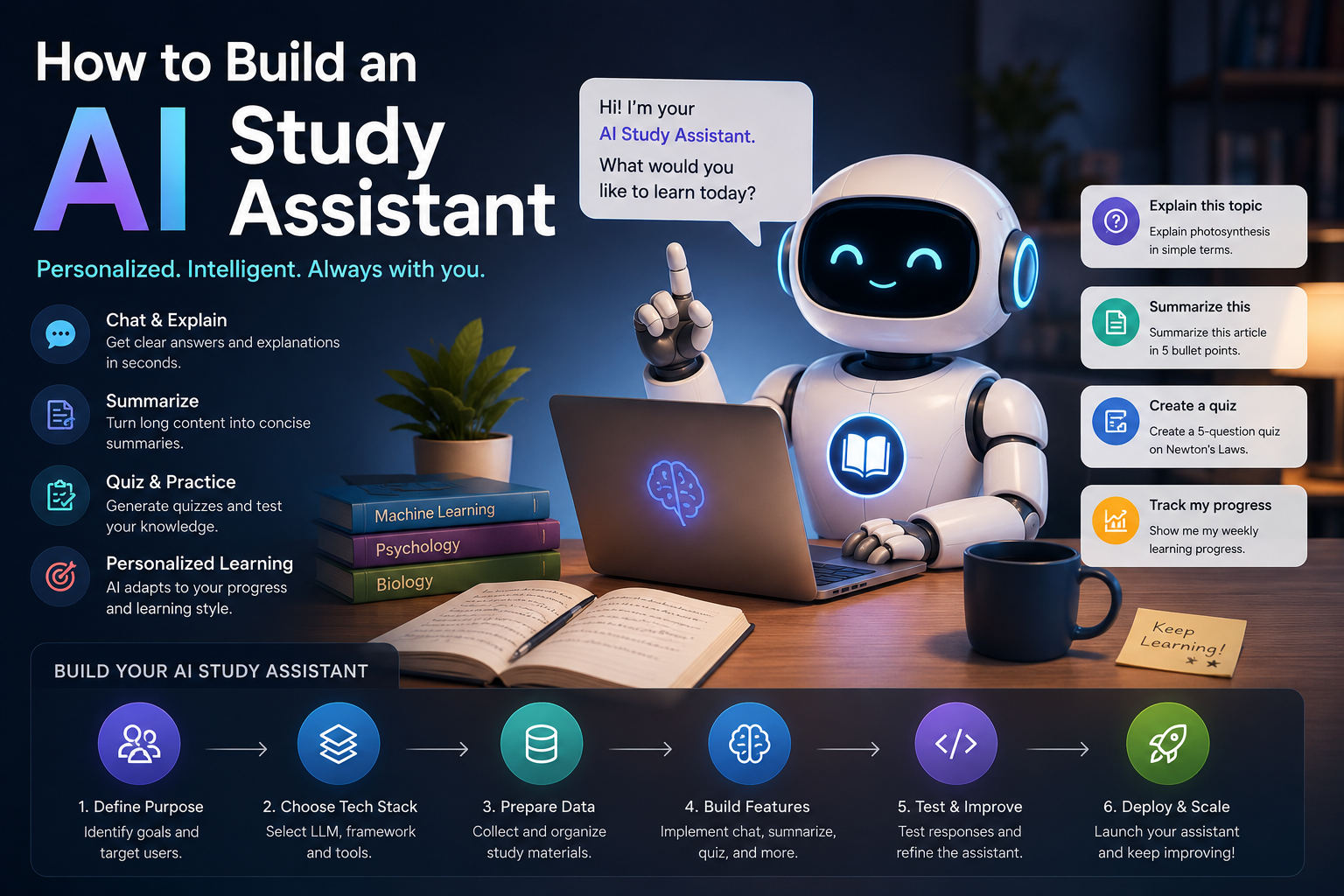
1. Define Core Features
Start with MVP (Minimum Viable Product) capabilities:
- Q&A – Answer subject-specific questions.
- Summarization – Condense notes, articles, or PDFs.
- Quiz Generation – Create practice questions from material.
- Flashcards – Auto-generate term‑definition pairs.
- Explanation – Simplify complex topics.
- (Optional) Voice interaction – Ask questions hands‑free.
2. Choose Your Technology Stack
| Component | Options |
|---|---|
| Language | Python (fastest for AI), Node.js, or Go |
| LLM | OpenAI GPT‑4o, Claude, Gemini, or local models (Llama 3, Mistral) |
| Embeddings | OpenAI text-embedding-3-small, Sentence‑Transformers, or Voyage |
| Vector DB | Pinecone, Weaviate, Qdrant, Chroma (lightweight), or FAISS |
| Backend | FastAPI (Python), Flask, or Express |
| Frontend | Streamlit (quick), React + Next.js, or Gradio |
| Deployment | Railway, Hugging Face Spaces, AWS, or self‑hosted on a VPS |
3. Step‑by‑Step Build Process
Step 1: Set Up the Environment
bash
# Create a Python virtual environment
python -m venv studyai_env
source studyai_env/bin/activate  # or `env\Scripts\activate` on Windows

# Install core packages
pip install openai langchain chromadb tiktoken pypdf python-dotenv fastapi uvicorn
Step 2: Build a RAG Pipeline (Retrieval Augmented Generation)
This lets the assistant answer based on your own study materials.
python
# ingest.py – load and index PDFs/notes
from langchain.document_loaders import PyPDFDirectoryLoader
from langchain.text_splitter import RecursiveCharacterTextSplitter
from langchain.embeddings import OpenAIEmbeddings
from langchain.vectorstores import Chroma

# Load documents
loader = PyPDFDirectoryLoader("study_materials/")
docs = loader.load()

# Split into chunks
text_splitter = RecursiveCharacterTextSplitter(chunk_size=1000, chunk_overlap=200)
chunks = text_splitter.split_documents(docs)

# Create vector store
embeddings = OpenAIEmbeddings()
vectorstore = Chroma.from_documents(chunks, embeddings, persist_directory="./chroma_db")
vectorstore.persist()
Step 3: Create the QA Chain
python
# qa_chain.py
from langchain.chains import RetrievalQA
from langchain.chat_models import ChatOpenAI

def get_study_assistant():
    llm = ChatOpenAI(model="gpt-4o-mini", temperature=0.3)
    retriever = vectorstore.as_retriever(search_kwargs={"k": 5})

    qa = RetrievalQA.from_chain_type(
        llm=llm,
        chain_type="stuff",
        retriever=retriever,
        return_source_documents=True
    )
    return qa

assistant = get_study_assistant()
response = assistant("Explain the Krebs cycle from my biology notes")
print(response['result'])
Step 4: Add Quiz Generation (Prompt Engineering)
python
def generate_quiz(topic, num_questions=5):
    prompt = f"""You are a study assistant. Create a {num_questions}-question multiple-choice quiz on "{topic}".
    Format each question as:
    Q1: [question text]
    A) ... B) ... C) ... D) ...
    Answer: [letter]
    """
    return llm.predict(prompt)
Step 5: Build a Simple Web Interface (Streamlit)
python
# app.py
import streamlit as st
from qa_chain import assistant

st.title("📚 AI Study Assistant")
query = st.text_input("Ask me about your study material:")
if query:
    with st.spinner("Thinking..."):
        answer = assistant(query)['result']
        st.write(answer)

uploaded_file = st.file_uploader("Upload new notes (PDF)")
if uploaded_file:
    # Save and re-run ingestion (or use temporary file)
    st.success("Notes added to knowledge base!")
4. Advanced Features to Add Later
- Spaced Repetition – Track quiz performance and repeat weak topics.
- Flashcard Export – Generate Anki‑compatible CSV or JSON.
- Multi‑format support – PPTX, DOCX, YouTube transcripts, web links.
- Explain like I’m 5 (ELI5) – Create a toggle for simplified answers.
- Study plan generator – “Create a 2‑week schedule for my calculus exam.”
- Voice input/output – Use Whisper + ElevenLabs / pyttsx3.
5. Deployment Considerations
| Platform | Pros | Cost |
|---|---|---|
| Streamlit Cloud | Easiest for Python + Streamlit apps | Free tier available |
| Hugging Face Spaces | Good for demo, supports Gradio/Streamlit | Free CPU, $ for GPU/endpoints |
| Railway | Full Docker support, easy env vars | $5–20/month |
| AWS/GCP/Azure | Scalable, but more setup | Pay‑per‑use |
Important: Never hardcode API keys. Use .env files and environment variables.
6. Sample Project Structure
text
study-assistant/
├── .env                 # OPENAI_API_KEY=...
├── requirements.txt
├── ingest.py            # Build vector DB from files
├── qa_chain.py          # Main logic
├── app.py               # Streamlit UI
├── study_materials/     # Put PDFs, .txt files here
├── chroma_db/           # Persistent vector store (auto‑created)
└── README.md
7. Next Steps to Go Production‑Ready
- Rate limiting – Prevent abuse (use Redis + slowapi).
- Authentication – Add login (Firebase Auth or Auth0).
- Usage tracking – Log queries to improve responses.
- Fine‑tuning – For highly specialized subjects (e.g., medical terminology).
- Feedback loop – Thumbs up/down to refine retrieval.
8. Resources to Learn More
- LangChain documentation – Best for RAG patterns.
- OpenAI Cookbook – Many study‑related examples.
- Hugging Face “study-assistant” spaces – See what others built.
- FastAPI + React tutorial – If you want a fully custom frontend.
