
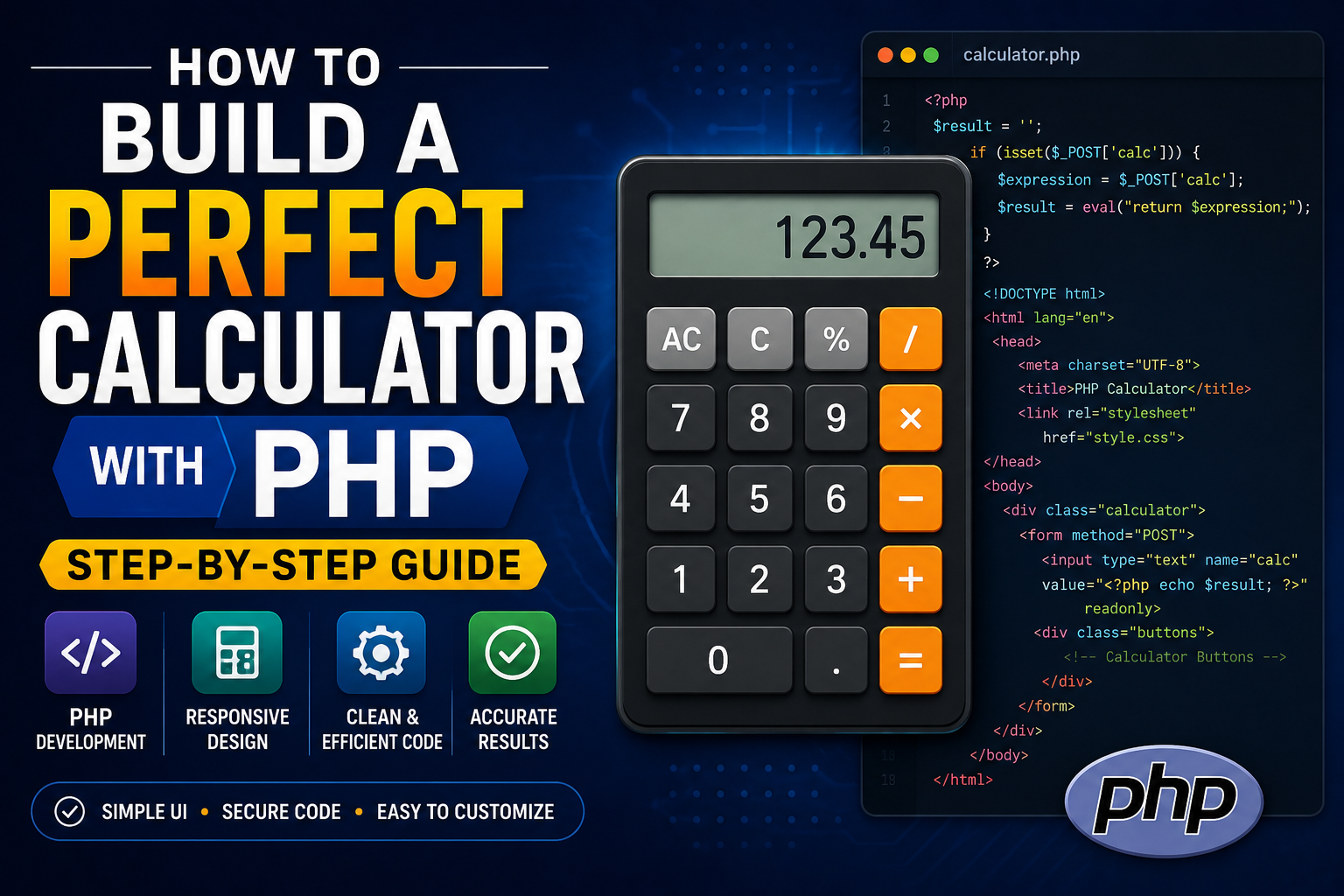
How to Build a Perfect Calculator with PHP: Step-by-Step Guide

Introduction
Building a calculator might seem like a beginner’s task, but creating a robust, user-friendly calculator application with proper error handling and security considerations is an excellent way to master PHP fundamentals. In this comprehensive guide, we’ll build a feature-rich calculator that handles basic operations, advanced functions, and provides a polished user experience.
Table of Contents
- Project Setup
- HTML Structure
- CSS Styling
- PHP Logic
- Advanced Features
- Security Considerations
- Testing and Deployment
1. Project Setup
File Structure
text
calculator/
├── index.php
├── style.css
├── calculator.js
└── README.md
Server Requirements
- PHP 7.4 or higher
- Web server (Apache/Nginx)
- Browser with JavaScript enabled
2. HTML Structure
Create the index.php file with a clean, semantic structure:
php
<!DOCTYPE html>
<html lang="en">
<head>
    <meta charset="UTF-8">
    <meta name="viewport" content="width=device-width, initial-scale=1.0">
    <title>Advanced PHP Calculator</title>
    <link rel="stylesheet" href="style.css">
</head>
<body>
    <div class="calculator-container">
        <h1>Advanced Calculator</h1>

        <form method="POST" action="<?php echo htmlspecialchars($_SERVER["PHP_SELF"]); ?>">
            <div class="display">
                <input type="text" id="result" name="result"
                       value="<?php echo isset($result) ? htmlspecialchars($result) : ''; ?>"
                       readonly>
            </div>

            <div class="buttons">
                <!-- Memory Functions -->
                <button type="button" class="memory-btn" onclick="memoryRecall()">MR</button>
                <button type="button" class="memory-btn" onclick="memoryStore()">MS</button>
                <button type="button" class="memory-btn" onclick="memoryClear()">MC</button>

                <!-- Scientific Functions -->
                <button type="button" class="sci-btn" onclick="insertValue('sin(')">sin</button>
                <button type="button" class="sci-btn" onclick="insertValue('cos(')">cos</button>
                <button type="button" class="sci-btn" onclick="insertValue('tan(')">tan</button>
                <button type="button" class="sci-btn" onclick="insertValue('log(')">log</button>
                <button type="button" class="sci-btn" onclick="insertValue('ln(')">ln</button>
                <button type="button" class="sci-btn" onclick="insertValue('sqrt(')">√</button>

                <!-- Basic Operations -->
                <button type="button" onclick="clearDisplay()">C</button>
                <button type="button" onclick="deleteLast()">⌫</button>
                <button type="button" onclick="insertValue('%')">%</button>
                <button type="button" onclick="insertValue('/')">÷</button>

                <button type="button" onclick="insertValue('7')">7</button>
                <button type="button" onclick="insertValue('8')">8</button>
                <button type="button" onclick="insertValue('9')">9</button>
                <button type="button" onclick="insertValue('*')">×</button>

                <button type="button" onclick="insertValue('4')">4</button>
                <button type="button" onclick="insertValue('5')">5</button>
                <button type="button" onclick="insertValue('6')">6</button>
                <button type="button" onclick="insertValue('-')">−</button>

                <button type="button" onclick="insertValue('1')">1</button>
                <button type="button" onclick="insertValue('2')">2</button>
                <button type="button" onclick="insertValue('3')">3</button>
                <button type="button" onclick="insertValue('+')">+</button>

                <button type="button" onclick="insertValue('0')" class="zero">0</button>
                <button type="button" onclick="insertValue('.')">.</button>
                <button type="submit" name="calculate" class="equals">=</button>
            </div>
        </form>

        <div class="history">
            <h3>History</h3>
            <div id="history-list">
                <?php
                if (isset($_SESSION['history'])) {
                    foreach ($_SESSION['history'] as $entry) {
                        echo "<div class='history-item'>" . htmlspecialchars($entry) . "</div>";
                    }
                }
                ?>
            </div>
        </div>
    </div>

    <script src="calculator.js"></script>
</body>
</html>
3. CSS Styling
Create style.css for a modern, responsive design:
css
* {
    margin: 0;
    padding: 0;
    box-sizing: border-box;
}

body {
    font-family: 'Segoe UI', Tahoma, Geneva, Verdana, sans-serif;
    background: linear-gradient(135deg, #667eea 0%, #764ba2 100%);
    min-height: 100vh;
    display: flex;
    justify-content: center;
    align-items: center;
    padding: 20px;
}

.calculator-container {
    background: #2d3436;
    border-radius: 20px;
    padding: 30px;
    box-shadow: 0 20px 60px rgba(0,0,0,0.3);
    max-width: 500px;
    width: 100%;
}

h1 {
    color: #dfe6e9;
    text-align: center;
    font-size: 24px;
    margin-bottom: 20px;
    font-weight: 300;
    letter-spacing: 2px;
}

.display {
    background: #1a1a1a;
    border-radius: 10px;
    padding: 15px;
    margin-bottom: 20px;
}

.display input {
    width: 100%;
    background: transparent;
    border: none;
    color: #dfe6e9;
    font-size: 32px;
    text-align: right;
    padding: 5px;
    font-family: 'Courier New', monospace;
}

.display input:focus {
    outline: none;
}

.buttons {
    display: grid;
    grid-template-columns: repeat(4, 1fr);
    gap: 10px;
}

button {
    padding: 18px;
    font-size: 18px;
    border: none;
    border-radius: 10px;
    cursor: pointer;
    transition: all 0.2s ease;
    font-weight: 500;
}

button:hover {
    transform: scale(0.95);
    opacity: 0.8;
}

button:active {
    transform: scale(0.9);
}

.memory-btn {
    background: #636e72;
    color: white;
    font-size: 14px;
}

.sci-btn {
    background: #0984e3;
    color: white;
    font-size: 14px;
}

.zero {
    grid-column: span 2;
}

.equals {
    background: #00b894;
    color: white;
    font-size: 24px;
}

button:not(.memory-btn):not(.sci-btn):not(.equals) {
    background: #dfe6e9;
    color: #2d3436;
}

button:not(.memory-btn):not(.sci-btn):not(.equals):hover {
    background: #b2bec3;
}

.history {
    margin-top: 20px;
    background: #1a1a1a;
    border-radius: 10px;
    padding: 15px;
    max-height: 150px;
    overflow-y: auto;
}

.history h3 {
    color: #dfe6e9;
    font-size: 14px;
    font-weight: 300;
    margin-bottom: 10px;
    text-transform: uppercase;
    letter-spacing: 1px;
}

.history-item {
    color: #b2bec3;
    padding: 5px 0;
    border-bottom: 1px solid #2d3436;
    font-size: 14px;
    font-family: 'Courier New', monospace;
}

.history-item:last-child {
    border-bottom: none;
}

/* Scrollbar styling */
.history::-webkit-scrollbar {
    width: 5px;
}

.history::-webkit-scrollbar-track {
    background: #1a1a1a;
}

.history::-webkit-scrollbar-thumb {
    background: #636e72;
    border-radius: 5px;
}

/* Responsive Design */
@media (max-width: 480px) {
    .calculator-container {
        padding: 20px;
    }

    button {
        padding: 15px;
        font-size: 16px;
    }

    .display input {
        font-size: 28px;
    }
}
4. PHP Logic
Now, let’s implement the core PHP logic in index.php (add this at the top of your file):
php
<?php
session_start();

// Initialize history if not exists
if (!isset($_SESSION['history'])) {
    $_SESSION['history'] = [];
}

// Function to evaluate mathematical expressions safely
function calculate($expression) {
    // Remove all whitespace
    $expression = str_replace(' ', '', $expression);

    // Define allowed characters (numbers, operators, parentheses, dots)
    $allowed = '/^[0-9+\-*\/\(\)%\.]+$/';

    if (!preg_match($allowed, $expression)) {
        return "Error: Invalid characters";
    }

    // Handle percentage
    $expression = preg_replace('/(\d+)%/', '($1/100)', $expression);

    // Handle scientific functions
    $expression = preg_replace('/sin\(([^)]+)\)/', 'sin(deg2rad($1))', $expression);
    $expression = preg_replace('/cos\(([^)]+)\)/', 'cos(deg2rad($1))', $expression);
    $expression = preg_replace('/tan\(([^)]+)\)/', 'tan(deg2rad($1))', $expression);
    $expression = preg_replace('/log\(([^)]+)\)/', 'log10($1)', $expression);
    $expression = preg_replace('/ln\(([^)]+)\)/', 'log($1)', $expression);
    $expression = preg_replace('/sqrt\(([^)]+)\)/', 'sqrt($1)', $expression);

    try {
        // Evaluate the expression
        $result = eval("return $expression;");

        // Check if result is a number
        if (!is_numeric($result)) {
            return "Error: Invalid result";
        }

        // Round to prevent floating point errors
        if (is_float($result)) {
            $result = round($result, 10);
        }

        return $result;
    } catch (Exception $e) {
        return "Error: " . $e->getMessage();
    } catch (ParseError $e) {
        return "Error: Invalid expression";
    }
}

// Handle form submission
if ($_SERVER["REQUEST_METHOD"] == "POST" && isset($_POST['calculate'])) {
    $expression = $_POST['result'] ?? '';

    if (!empty($expression)) {
        // Save expression to history
        $_SESSION['history'][] = $expression . " = " . calculate($expression);

        // Limit history to 20 entries
        if (count($_SESSION['history']) > 20) {
            array_shift($_SESSION['history']);
        }

        $result = calculate($expression);
    }
}

// Clear history if requested
if (isset($_GET['clear_history'])) {
    $_SESSION['history'] = [];
    header("Location: index.php");
    exit();
}

// Handle AJAX requests
if (isset($_POST['ajax']) && $_POST['ajax'] == '1') {
    $expression = $_POST['expression'] ?? '';
    $result = calculate($expression);
    echo json_encode(['result' => $result]);
    exit();
}
?>
5. Advanced Features
JavaScript Enhancement
Create calculator.js to handle client-side interactions:
javascript
// Global variables
let memory = 0;
let expression = '';
let isNewCalculation = true;

// Insert value into display
function insertValue(value) {
    const display = document.getElementById('result');

    if (isNewCalculation && !isNaN(value) && value !== '.') {
        display.value = value;
        isNewCalculation = false;
        return;
    }

    display.value += value;
    isNewCalculation = false;
}

// Clear display
function clearDisplay() {
    document.getElementById('result').value = '';
    isNewCalculation = true;
}

// Delete last character
function deleteLast() {
    const display = document.getElementById('result');
    display.value = display.value.slice(0, -1);
    if (display.value === '') {
        isNewCalculation = true;
    }
}

// Memory functions
function memoryStore() {
    const display = document.getElementById('result');
    memory = parseFloat(display.value) || 0;
}

function memoryRecall() {
    const display = document.getElementById('result');
    if (memory !== 0) {
        display.value = memory;
        isNewCalculation = false;
    }
}

function memoryClear() {
    memory = 0;
}

// Keyboard support
document.addEventListener('keydown', function(event) {
    const key = event.key;
    const display = document.getElementById('result');

    if (key >= '0' && key <= '9') {
        insertValue(key);
        event.preventDefault();
    } else if (key === '.') {
        insertValue('.');
        event.preventDefault();
    } else if (key === '+' || key === '-' || key === '*' || key === '/') {
        insertValue(key);
        event.preventDefault();
    } else if (key === 'Enter') {
        document.querySelector('[name="calculate"]').click();
        event.preventDefault();
    } else if (key === 'Backspace') {
        deleteLast();
        event.preventDefault();
    } else if (key === 'Escape') {
        clearDisplay();
        event.preventDefault();
    }
});

// Add validation before form submission
document.querySelector('form').addEventListener('submit', function(e) {
    const display = document.getElementById('result');
    if (display.value === '') {
        e.preventDefault();
        display.placeholder = 'Enter an expression';
        display.style.color = '#ff6b6b';
        setTimeout(() => {
            display.style.color = '#dfe6e9';
        }, 2000);
        return false;
    }
});

// Auto-calculate on equals button click (with AJAX)
document.querySelector('.equals').addEventListener('click', function(e) {
    const display = document.getElementById('result');
    const expression = display.value;

    if (expression.trim() === '') {
        e.preventDefault();
        return false;
    }

    // Try AJAX calculation
    fetch('index.php', {
        method: 'POST',
        headers: {
            'Content-Type': 'application/x-www-form-urlencoded',
        },
        body: 'ajax=1&expression=' + encodeURIComponent(expression)
    })
    .then(response => response.json())
    .then(data => {
        if (data.result) {
            display.value = data.result;
            isNewCalculation = true;
        }
    })
    .catch(error => {
        console.error('Error:', error);
        // Fallback to form submission
        document.querySelector('[name="calculate"]').click();
    });

    e.preventDefault();
});

// Tooltip for scientific functions
document.querySelectorAll('.sci-btn').forEach(button => {
    button.addEventListener('mouseover', function() {
        const tooltip = document.createElement('div');
        tooltip.className = 'tooltip';
        tooltip.textContent = this.textContent;
        this.appendChild(tooltip);
    });

    button.addEventListener('mouseout', function() {
        const tooltip = this.querySelector('.tooltip');
        if (tooltip) {
            tooltip.remove();
        }
    });
});
Advanced PHP Calculator Class
For better code organization, create a Calculator class:
php
<?php
class AdvancedCalculator {
    private $history = [];
    private $memory = 0;
    private $precision = 10;

    public function __construct() {
        if (session_status() === PHP_SESSION_NONE) {
            session_start();
        }
        $this->loadHistory();
    }

    private function loadHistory() {
        if (isset($_SESSION['calculator_history'])) {
            $this->history = $_SESSION['calculator_history'];
        }
    }

    private function saveHistory() {
        $_SESSION['calculator_history'] = $this->history;
    }

    public function evaluate($expression) {
        // Sanitize and validate
        $expression = $this->sanitizeExpression($expression);

        if (!$this->validateExpression($expression)) {
            return ['error' => 'Invalid expression', 'result' => null];
        }

        // Process special functions
        $expression = $this->processFunctions($expression);

        try {
            $result = eval("return $expression;");

            if (!is_numeric($result)) {
                return ['error' => 'Invalid result', 'result' => null];
            }

            $result = round($result, $this->precision);

            // Add to history
            $this->addToHistory($expression, $result);

            return ['error' => null, 'result' => $result];

        } catch (Exception $e) {
            return ['error' => 'Calculation error: ' . $e->getMessage(), 'result' => null];
        }
    }

    private function sanitizeExpression($expression) {
        // Remove whitespace
        $expression = str_replace(' ', '', $expression);
        return $expression;
    }

    private function validateExpression($expression) {
        // Only allow safe characters
        $pattern = '/^[0-9+\-*\/\(\)%\.sin cos tan log ln sqrt]+$/i';
        return preg_match($pattern, $expression) === 1;
    }

    private function processFunctions($expression) {
        // Convert degree to radian for trigonometric functions
        $expression = preg_replace('/sin\(([^)]+)\)/', 'sin(deg2rad($1))', $expression);
        $expression = preg_replace('/cos\(([^)]+)\)/', 'cos(deg2rad($1))', $expression);
        $expression = preg_replace('/tan\(([^)]+)\)/', 'tan(deg2rad($1))', $expression);

        // Handle logarithms
        $expression = preg_replace('/log\(([^)]+)\)/', 'log10($1)', $expression);
        $expression = preg_replace('/ln\(([^)]+)\)/', 'log($1)', $expression);

        // Handle square root
        $expression = preg_replace('/sqrt\(([^)]+)\)/', 'sqrt($1)', $expression);

        return $expression;
    }

    private function addToHistory($expression, $result) {
        $entry = $expression . ' = ' . $result;
        array_unshift($this->history, $entry);

        // Keep only last 50 entries
        if (count($this->history) > 50) {
            $this->history = array_slice($this->history, 0, 50);
        }

        $this->saveHistory();
    }

    public function getHistory() {
        return $this->history;
    }

    public function clearHistory() {
        $this->history = [];
        $this->saveHistory();
    }

    public function memoryStore($value) {
        $this->memory = $value;
    }

    public function memoryRecall() {
        return $this->memory;
    }

    public function memoryClear() {
        $this->memory = 0;
    }
}
6. Security Considerations
Input Validation and Sanitization
php
// Security functions
function sanitizeInput($input) {
    // Remove potentially dangerous characters
    $input = strip_tags($input);
    $input = htmlspecialchars($input, ENT_QUOTES, 'UTF-8');
    return $input;
}

// SQL Injection prevention (if using database)
function prepareQuery($connection, $query, $params) {
    $stmt = $connection->prepare($query);
    if ($stmt === false) {
        throw new Exception('Database error: ' . $connection->error);
    }

    if (!empty($params)) {
        $types = str_repeat('s', count($params));
        $stmt->bind_param($types, ...$params);
    }

    return $stmt;
}

// CSRF protection
function generateCSRFToken() {
    if (empty($_SESSION['csrf_token'])) {
        $_SESSION['csrf_token'] = bin2hex(random_bytes(32));
    }
    return $_SESSION['csrf_token'];
}

function verifyCSRFToken($token) {
    return isset($_SESSION['csrf_token']) && hash_equals($_SESSION['csrf_token'], $token);
}
Rate Limiting
php
// Rate limiting to prevent abuse
function checkRateLimit($userId, $maxRequests = 100, $timeWindow = 3600) {
    $key = "rate_limit_{$userId}";
    $current = time();

    if (!isset($_SESSION[$key])) {
        $_SESSION[$key] = ['count' => 1, 'first_request' => $current];
        return true;
    }

    $data = $_SESSION[$key];

    if ($current - $data['first_request'] > $timeWindow) {
        // Reset window
        $_SESSION[$key] = ['count' => 1, 'first_request' => $current];
        return true;
    }

    if ($data['count'] >= $maxRequests) {
        return false;
    }

    $_SESSION[$key]['count']++;
    return true;
}
7. Testing and Deployment
Test Cases
php
// Unit tests for Calculator class
class CalculatorTest {
    private $calculator;

    public function __construct() {
        $this->calculator = new AdvancedCalculator();
    }

    public function testBasicOperations() {
        $tests = [
            ['2+2', 4],
            ['10-5', 5],
            ['3*4', 12],
            ['15/3', 5],
            ['2+3*4', 14],
            ['(2+3)*4', 20],
        ];

        foreach ($tests as $test) {
            $result = $this->calculator->evaluate($test[0]);
            assert($result['result'] === $test[1], "Test failed: {$test[0]}");
        }
    }

    public function testScientificFunctions() {
        $tests = [
            ['sin(30)', 0.5],
            ['cos(60)', 0.5],
            ['tan(45)', 1],
            ['sqrt(16)', 4],
            ['log(100)', 2],
            ['ln(2.718281828)', 1],
        ];

        foreach ($tests as $test) {
            $result = $this->calculator->evaluate($test[0]);
            assert(abs($result['result'] - $test[1]) < 0.001, "Test failed: {$test[0]}");
        }
    }

    public function testErrorHandling() {
        $result = $this->calculator->evaluate('2/0');
        assert($result['error'] !== null, "Division by zero should return error");

        $result = $this->calculator->evaluate('invalid');
        assert($result['error'] !== null, "Invalid expression should return error");
    }
}

// Run tests
$test = new CalculatorTest();
$test->testBasicOperations();
$test->testScientificFunctions();
$test->testErrorHandling();
echo "All tests passed!";
Deployment Checklist
- Server Configuration
- Enable
session_start()in PHP - Set appropriate
display_errorssettings - Configure error logging
- Enable
- Security Headers
php
header("X-Frame-Options: DENY");
header("X-XSS-Protection: 1; mode=block");
header("X-Content-Type-Options: nosniff");
header("Referrer-Policy: strict-origin-when-cross-origin");
header("Content-Security-Policy: default-src 'self'");
- Database Integration (Optional)
sql
CREATE TABLE calculator_history (
    id INT AUTO_INCREMENT PRIMARY KEY,
    user_id INT,
    expression TEXT,
    result VARCHAR(255),
    created_at TIMESTAMP DEFAULT CURRENT_TIMESTAMP,
    INDEX idx_user_id (user_id),
    INDEX idx_created_at (created_at)
);

CREATE TABLE calculator_users (
    id INT AUTO_INCREMENT PRIMARY KEY,
    username VARCHAR(50) UNIQUE,
    password_hash VARCHAR(255),
    created_at TIMESTAMP DEFAULT CURRENT_TIMESTAMP
);
Conclusion
You’ve now built a complete, secure, and feature-rich calculator application with PHP! This project demonstrates:
- Full-stack development with PHP and JavaScript
- Security best practices including input validation and sanitization
- User experience with responsive design and keyboard support
- Advanced features like memory functions and scientific operations
- Code organization using OOP principles
Next Steps
- Add more scientific functions (factorial, power, etc.)
- Implement user authentication
- Create a REST API version
- Add graphing capabilities
- Implement unit testing with PHPUnit
