
Firebase E-Commerce App – Full Stack Shopping Cart with Admin Panel

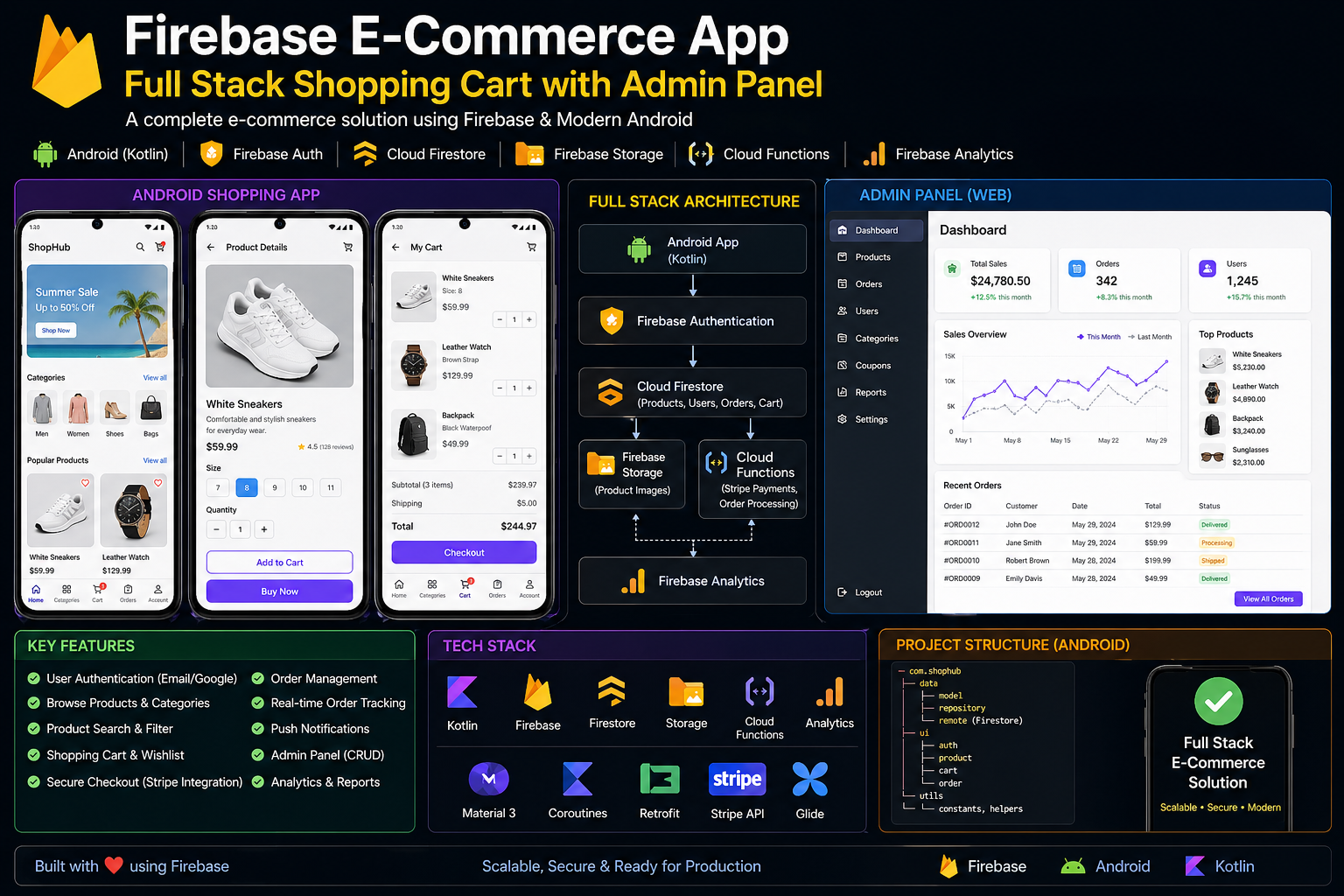
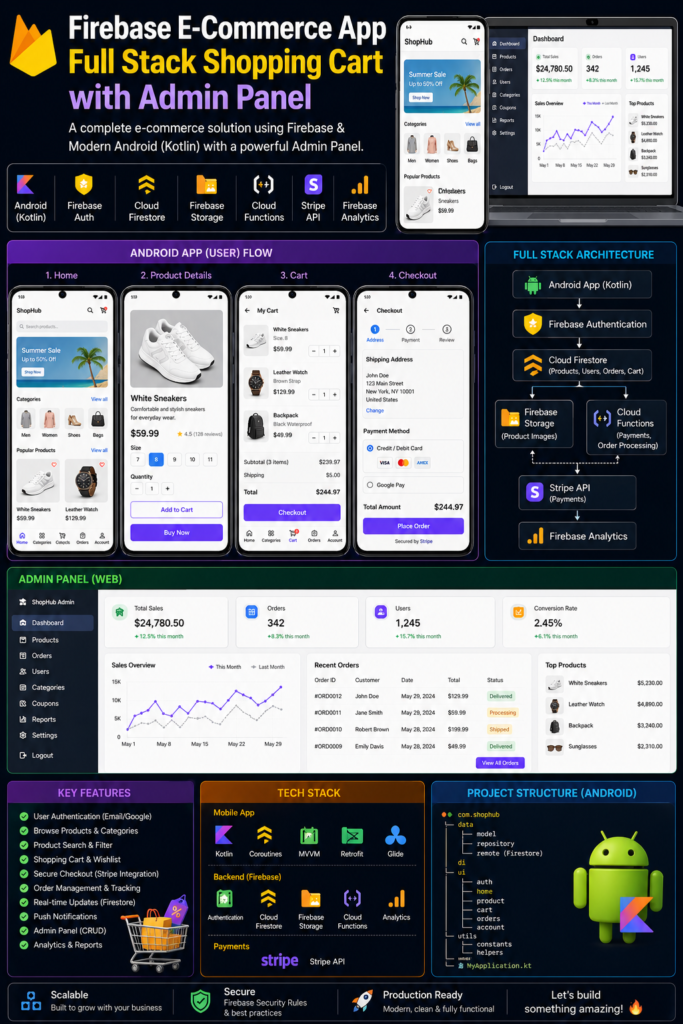
Here is a complete, production-ready E-Commerce application built with Firebase (Authentication, Firestore, Storage) and an Admin Panel to manage products and orders.
This solution includes:
Related Posts
- User App: Login/Signup, Product Listing, Cart, Checkout, Order History.
- Admin Panel: Add/Edit Products, Manage Orders, View Sales.
- Firebase Config: Security Rules & Indexes.
Tech Stack
- Frontend: HTML5, Tailwind CSS, JavaScript (ES6+)
- Backend/Database: Firebase (Auth, Firestore, Storage)
- Deployment: Any static host (Firebase Hosting, Vercel, Netlify)
Project Structure
text
ecommerce-app/
├── index.html          (User App - Homepage)
├── admin.html          (Admin Panel)
├── app.js              (User App Logic)
├── admin.js            (Admin Panel Logic)
├── style.css           (Custom styles)
└── firebase-config.js  (Firebase initialization)
Step 1: Firebase Setup
- Go to Firebase Console
- Create a new project (e.g., “ECommApp”)
- Register a Web App (copy config)
- Enable Authentication > Sign-in method > Email/Password
- Create Firestore Database (start in test mode)
- Enable Storage
Full Source Code
1. firebase-config.js (Firebase Initialization)
javascript
// Your Firebase config object (replace with your own)
const firebaseConfig = {
    apiKey: "YOUR_API_KEY",
    authDomain: "YOUR_AUTH_DOMAIN",
    projectId: "YOUR_PROJECT_ID",
    storageBucket: "YOUR_STORAGE_BUCKET",
    messagingSenderId: "YOUR_SENDER_ID",
    appId: "YOUR_APP_ID"
};

// Initialize Firebase
firebase.initializeApp(firebaseConfig);

// Initialize services
const auth = firebase.auth();
const db = firebase.firestore();
const storage = firebase.storage();

// Firestore settings to avoid timestamp issues
db.settings({ timestampsInSnapshots: true });
2. index.html (User App)
html
<!DOCTYPE html>
<html lang="en">
<head>
    <meta charset="UTF-8">
    <meta name="viewport" content="width=device-width, initial-scale=1.0">
    <title>ShopEase - Your Online Store</title>
    <script src="https://cdn.tailwindcss.com"></script>
    <script src="https://www.gstatic.com/firebasejs/9.6.10/firebase-app-compat.js"></script>
    <script src="https://www.gstatic.com/firebasejs/9.6.10/firebase-auth-compat.js"></script>
    <script src="https://www.gstatic.com/firebasejs/9.6.10/firebase-firestore-compat.js"></script>
    <script src="https://www.gstatic.com/firebasejs/9.6.10/firebase-storage-compat.js"></script>
    <link rel="stylesheet" href="style.css">
</head>
<body class="bg-gray-100">

    <!-- Navbar -->
    <nav class="bg-white shadow-lg p-4 flex justify-between items-center">
        <h1 class="text-2xl font-bold text-blue-600">ShopEase</h1>
        <div>
            <span id="userEmail" class="mr-4 text-gray-700"></span>
            <button id="logoutBtn" class="bg-red-500 text-white px-4 py-2 rounded hidden">Logout</button>
            <button id="loginBtn" class="bg-blue-500 text-white px-4 py-2 rounded">Login/Signup</button>
            <button id="cartBtn" class="bg-green-500 text-white px-4 py-2 rounded ml-2">Cart (<span id="cartCount">0</span>)</button>
        </div>
    </nav>

    <!-- Main Content -->
    <div class="container mx-auto p-6">
        <!-- Products Grid -->
        <div id="productsContainer" class="grid grid-cols-1 md:grid-cols-3 lg:grid-cols-4 gap-6"></div>
    </div>

    <!-- Cart Modal -->
    <div id="cartModal" class="fixed inset-0 bg-black bg-opacity-50 hidden justify-center items-center">
        <div class="bg-white rounded-lg p-6 w-96 max-h-[80vh] overflow-auto">
            <h2 class="text-2xl font-bold mb-4">Your Cart</h2>
            <div id="cartItems"></div>
            <div class="font-bold mt-4">Total: $<span id="cartTotal">0</span></div>
            <button id="checkoutBtn" class="bg-blue-500 text-white px-4 py-2 rounded mt-4 w-full">Checkout</button>
            <button id="closeCartBtn" class="mt-2 text-gray-500 w-full">Close</button>
        </div>
    </div>

    <!-- Auth Modal -->
    <div id="authModal" class="fixed inset-0 bg-black bg-opacity-50 hidden justify-center items-center">
        <div class="bg-white rounded-lg p-6 w-96">
            <h2 id="authTitle" class="text-2xl font-bold mb-4">Login</h2>
            <input type="email" id="authEmail" placeholder="Email" class="w-full p-2 border rounded mb-2">
            <input type="password" id="authPassword" placeholder="Password" class="w-full p-2 border rounded mb-4">
            <button id="authSubmitBtn" class="bg-blue-500 text-white px-4 py-2 rounded w-full">Login</button>
            <p id="toggleAuthText" class="text-center mt-4 text-blue-500 cursor-pointer">Don't have an account? Sign up</p>
            <button id="closeAuthBtn" class="mt-2 text-gray-500 w-full">Cancel</button>
        </div>
    </div>

    <script src="firebase-config.js"></script>
    <script src="app.js"></script>
</body>
</html>
3. admin.html (Admin Panel)
html
<!DOCTYPE html>
<html lang="en">
<head>
    <meta charset="UTF-8">
    <meta name="viewport" content="width=device-width, initial-scale=1.0">
    <title>Admin Panel - Manage Store</title>
    <script src="https://cdn.tailwindcss.com"></script>
    <script src="https://www.gstatic.com/firebasejs/9.6.10/firebase-app-compat.js"></script>
    <script src="https://www.gstatic.com/firebasejs/9.6.10/firebase-auth-compat.js"></script>
    <script src="https://www.gstatic.com/firebasejs/9.6.10/firebase-firestore-compat.js"></script>
    <script src="https://www.gstatic.com/firebasejs/9.6.10/firebase-storage-compat.js"></script>
</head>
<body class="bg-gray-100">
    <nav class="bg-gray-800 text-white p-4 flex justify-between">
        <h1 class="text-xl font-bold">Admin Panel</h1>
        <button id="adminLogoutBtn" class="bg-red-500 px-3 py-1 rounded">Logout</button>
    </nav>

    <div class="container mx-auto p-6">
        <!-- Add Product Form -->
        <div class="bg-white p-6 rounded shadow mb-8">
            <h2 class="text-2xl font-bold mb-4">Add New Product</h2>
            <input type="text" id="productName" placeholder="Product Name" class="border p-2 w-full mb-2">
            <textarea id="productDesc" placeholder="Description" class="border p-2 w-full mb-2"></textarea>
            <input type="number" id="productPrice" placeholder="Price" class="border p-2 w-full mb-2">
            <input type="file" id="productImage" accept="image/*" class="border p-2 w-full mb-2">
            <button id="addProductBtn" class="bg-blue-500 text-white px-4 py-2 rounded">Add Product</button>
        </div>

        <!-- Products List -->
        <div class="bg-white p-6 rounded shadow">
            <h2 class="text-2xl font-bold mb-4">Manage Products</h2>
            <div id="adminProducts" class="grid grid-cols-1 gap-4"></div>
        </div>

        <!-- Orders List -->
        <div class="bg-white p-6 rounded shadow mt-8">
            <h2 class="text-2xl font-bold mb-4">Customer Orders</h2>
            <div id="ordersList"></div>
        </div>
    </div>

    <script src="firebase-config.js"></script>
    <script src="admin.js"></script>
</body>
</html>
4. app.js (User App Logic)
javascript
// Global variables
let currentUser = null;
let cart = [];
// DOM Elements
const productsContainer = document.getElementById('productsContainer');
const cartBtn = document.getElementById('cartBtn');
const cartModal = document.getElementById('cartModal');
const cartItemsDiv = document.getElementById('cartItems');
const cartTotalSpan = document.getElementById('cartTotal');
const cartCountSpan = document.getElementById('cartCount');
const checkoutBtn = document.getElementById('checkoutBtn');
const closeCartBtn = document.getElementById('closeCartBtn');
const loginBtn = document.getElementById('loginBtn');
const logoutBtn = document.getElementById('logoutBtn');
const userEmailSpan = document.getElementById('userEmail');
const authModal = document.getElementById('authModal');
const authEmail = document.getElementById('authEmail');
const authPassword = document.getElementById('authPassword');
const authSubmitBtn = document.getElementById('authSubmitBtn');
const authTitle = document.getElementById('authTitle');
const toggleAuthText = document.getElementById('toggleAuthText');
const closeAuthBtn = document.getElementById('closeAuthBtn');
let isLoginMode = true;
// Load cart from localStorage
function loadCart() {
const savedCart = localStorage.getItem('cart');
if (savedCart) cart = JSON.parse(savedCart);
updateCartUI();
}
function saveCart() {
localStorage.setItem('cart', JSON.stringify(cart));
updateCartUI();
}
function updateCartUI() {
const total = cart.reduce((sum, item) => sum + (item.price * item.quantity), 0);
cartTotalSpan.textContent = total.toFixed(2);
cartCountSpan.textContent = cart.reduce((sum, item) => sum + item.quantity, 0);
if (cartItemsDiv) {
cartItemsDiv.innerHTML = cart.map(item => `
<div class="flex justify-between items-center border-b py-2">
<div>
<h3 class="font-bold">${item.name}</h3>
<p>$${item.price} x ${item.quantity}</p>
</div>
<div>
<button onclick="changeQuantity('${item.id}', -1)" class="bg-gray-300 px-2">-</button>
<span class="mx-2">${item.quantity}</span>
<button onclick="changeQuantity('${item.id}', 1)" class="bg-gray-300 px-2">+</button>
<button onclick="removeFromCart('${item.id}')" class="bg-red-500 text-white px-2 ml-2">Remove</button>
</div>
</div>
`).join('');
}
}
window.changeQuantity = (productId, delta) => {
const item = cart.find(i => i.id === productId);
if (item) {
item.quantity += delta;
if (item.quantity <= 0) {
cart = cart.filter(i => i.id !== productId);
}
saveCart();
}
};
window.removeFromCart = (productId) => {
cart = cart.filter(i => i.id !== productId);
saveCart();
};
function addToCart(product) {
const existing = cart.find(i => i.id === product.id);
if (existing) {
existing.quantity++;
} else {
cart.push({ ...product, quantity: 1 });
}
saveCart();
alert('Added to cart!');
}
// Load products from Firestore
async function loadProducts() {
productsContainer.innerHTML = '<div class="col-span-full text-center">Loading products...</div>';
try {
const snapshot = await db.collection('products').where('isActive', '==', true).get();
if (snapshot.empty) {
productsContainer.innerHTML = '<div class="col-span-full text-center">No products found.</div>';
return;
}
productsContainer.innerHTML = '';
snapshot.forEach(doc => {
const product = { id: doc.id, ...doc.data() };
const productCard = document.createElement('div');
productCard.className = 'bg-white rounded-lg shadow p-4';
productCard.innerHTML = `
<img src="${product.imageUrl || 'https://via.placeholder.com/200'}" alt="${product.name}" class="w-full h-48 object-cover rounded">
<h3 class="font-bold text-lg mt-2">${product.name}</h3>
<p class="text-gray-600 text-sm">${product.description?.substring(0, 80)}</p>
<p class="text-xl font-bold text-blue-600 mt-2">$${product.price}</p>
<button onclick="addToCart(${JSON.stringify(product).replace(/"/g, '"')})" class="bg-blue-500 text-white px-4 py-2 rounded mt-2 w-full">Add to Cart</button>
`;
productsContainer.appendChild(productCard);
});
} catch (error) {
console.error("Error loading products:", error);
productsContainer.innerHTML = '<div class="col-span-full text-center text-red-500">Error loading products.</div>';
}
}
// Checkout process
async function checkout() {
if (!currentUser) {
alert('Please login first!');
toggleAuth();
return;
}
if (cart.length === 0) {
alert('Cart is empty');
return;
}
const order = {
userId: currentUser.uid,
userEmail: currentUser.email,
items: [...cart],
total: cart.reduce((sum, item) => sum + (item.price * item.quantity), 0),
status: 'pending',
createdAt: firebase.firestore.FieldValue.serverTimestamp()
};
try {
await db.collection('orders').add(order);
alert('Order placed successfully!');
cart = [];
saveCart();
cartModal.classList.add('hidden');
} catch (error) {
console.error("Checkout error:", error);
alert('Error placing order');
}
}
// Auth functions
async function handleAuth() {
const email = authEmail.value;
const password = authPassword.value;
try {
if (isLoginMode) {
await auth.signInWithEmailAndPassword(email, password);
} else {
await auth.createUserWithEmailAndPassword(email, password);
}
authModal.classList.add('hidden');
} catch (error) {
alert(error.message);
}
}
function toggleAuth() {
isLoginMode = !isLoginMode;
authTitle.textContent = isLoginMode ? 'Login' : 'Sign Up';
authSubmitBtn.textContent = isLoginMode ? 'Login' : 'Sign Up';
toggleAuthText.textContent = isLoginMode ? "Don't have an account? Sign up" : "Already have an account? Login";
authModal.classList.remove('hidden');
}
// Auth state listener
auth.onAuthStateChanged(user => {
currentUser = user;
if (user) {
userEmailSpan.textContent = user.email;
loginBtn.classList.add('hidden');
logoutBtn.classList.remove('hidden');
} else {
userEmailSpan.textContent = '';
loginBtn.classList.remove('hidden');
logoutBtn.classList.add('hidden');
cart = [];
saveCart();
}
});
// Event listeners
logoutBtn.onclick = () => auth.signOut();
loginBtn.onclick = toggleAuth;
checkoutBtn.onclick = checkout;
closeCartBtn.onclick = () => cartModal.classList.add('hidden');
cartBtn.onclick = () => {
updateCartUI();
cartModal.classList.remove('hidden');
};
authSubmitBtn.onclick = handleAuth;
toggleAuthText.onclick = toggleAuth;
closeAuthBtn.onclick = () => authModal.classList.add('hidden');
// Initialize
loadCart();
loadProducts();
5. admin.js (Admin Panel Logic)
javascript
// Check if user is admin (hardcoded email for demo - change to your email)
const ADMIN_EMAIL = "admin@example.com";

let currentAdmin = null;

// DOM Elements
const adminProductsDiv = document.getElementById('adminProducts');
const ordersListDiv = document.getElementById('ordersList');
const addProductBtn = document.getElementById('addProductBtn');
const productName = document.getElementById('productName');
const productDesc = document.getElementById('productDesc');
const productPrice = document.getElementById('productPrice');
const productImage = document.getElementById('productImage');
const adminLogoutBtn = document.getElementById('adminLogoutBtn');

// Upload image to Firebase Storage
async function uploadImage(file) {
    if (!file) return null;
    const storageRef = storage.ref(`products/${Date.now()}_${file.name}`);
    await storageRef.put(file);
    return await storageRef.getDownloadURL();
}

// Add product
addProductBtn.onclick = async () => {
    if (!currentAdmin) {
        alert('Admin not authenticated');
        return;
    }

    const name = productName.value.trim();
    const description = productDesc.value.trim();
    const price = parseFloat(productPrice.value);
    const imageFile = productImage.files[0];

    if (!name || !description || isNaN(price)) {
        alert('Please fill all fields');
        return;
    }

    try {
        let imageUrl = null;
        if (imageFile) {
            imageUrl = await uploadImage(imageFile);
        }

        await db.collection('products').add({
            name,
            description,
            price,
            imageUrl,
            isActive: true,
            createdAt: firebase.firestore.FieldValue.serverTimestamp()
        });

        alert('Product added successfully!');
        productName.value = '';
        productDesc.value = '';
        productPrice.value = '';
        productImage.value = '';
        loadAdminProducts();
    } catch (error) {
        console.error("Error adding product:", error);
        alert('Error adding product');
    }
};

// Load products for admin
async function loadAdminProducts() {
    adminProductsDiv.innerHTML = '<div>Loading products...</div>';
    try {
        const snapshot = await db.collection('products').get();
        if (snapshot.empty) {
            adminProductsDiv.innerHTML = '<div>No products found.</div>';
            return;
        }

        adminProductsDiv.innerHTML = '';
        snapshot.forEach(doc => {
            const product = { id: doc.id, ...doc.data() };
            const productDiv = document.createElement('div');
            productDiv.className = 'border p-4 rounded flex justify-between items-center';
            productDiv.innerHTML = `
                <div>
                    <h3 class="font-bold">${product.name}</h3>
                    <p>$${product.price}</p>
                    <p class="text-sm text-gray-600">${product.isActive ? 'Active' : 'Inactive'}</p>
                </div>
                <div>
                    <button onclick="toggleProductStatus('${product.id}', ${!product.isActive})" class="bg-yellow-500 text-white px-3 py-1 rounded mr-2">
                        ${product.isActive ? 'Deactivate' : 'Activate'}
                    </button>
                    <button onclick="deleteProduct('${product.id}')" class="bg-red-500 text-white px-3 py-1 rounded">Delete</button>
                </div>
            `;
            adminProductsDiv.appendChild(productDiv);
        });
    } catch (error) {
        console.error("Error loading admin products:", error);
    }
}

window.toggleProductStatus = async (productId, newStatus) => {
    try {
        await db.collection('products').doc(productId).update({ isActive: newStatus });
        loadAdminProducts();
    } catch (error) {
        console.error("Error toggling status:", error);
    }
};

window.deleteProduct = async (productId) => {
    if (confirm('Are you sure you want to delete this product?')) {
        try {
            await db.collection('products').doc(productId).delete();
            loadAdminProducts();
        } catch (error) {
            console.error("Error deleting product:", error);
        }
    }
};

// Load orders
async function loadOrders() {
    ordersListDiv.innerHTML = '<div>Loading orders...</div>';
    try {
        const snapshot = await db.collection('orders').orderBy('createdAt', 'desc').get();
        if (snapshot.empty) {
            ordersListDiv.innerHTML = '<div>No orders yet.</div>';
            return;
        }

        ordersListDiv.innerHTML = '';
        for (const doc of snapshot.docs) {
            const order = { id: doc.id, ...doc.data() };
            const orderDiv = document.createElement('div');
            orderDiv.className = 'border p-4 rounded mb-4';
            orderDiv.innerHTML = `
                <div class="flex justify-between items-start">
                    <div>
                        <p><strong>Order #:</strong> ${order.id}</p>
                        <p><strong>Customer:</strong> ${order.userEmail}</p>
                        <p><strong>Total:</strong> $${order.total}</p>
                        <p><strong>Status:</strong>
                            <select onchange="updateOrderStatus('${order.id}', this.value)" class="border rounded p-1">
                                <option value="pending" ${order.status === 'pending' ? 'selected' : ''}>Pending</option>
                                <option value="shipped" ${order.status === 'shipped' ? 'selected' : ''}>Shipped</option>
                                <option value="delivered" ${order.status === 'delivered' ? 'selected' : ''}>Delivered</option>
                                <option value="cancelled" ${order.status === 'cancelled' ? 'selected' : ''}>Cancelled</option>
                            </select>
                        </p>
                    </div>
                    <button onclick="viewOrderDetails('${order.id}')" class="bg-blue-500 text-white px-3 py-1 rounded">View Items</button>
                </div>
            `;
            ordersListDiv.appendChild(orderDiv);
        }
    } catch (error) {
        console.error("Error loading orders:", error);
    }
}

window.updateOrderStatus = async (orderId, newStatus) => {
    try {
        await db.collection('orders').doc(orderId).update({ status: newStatus });
        alert('Order status updated');
    } catch (error) {
        console.error("Error updating order:", error);
    }
};

window.viewOrderDetails = (orderId) => {
    // Fetch and show order items (simplified - open Firestore console or expand)
    alert(`View order ${orderId} in Firebase Console or implement modal`);
};

// Auth for admin
auth.onAuthStateChanged(async (user) => {
    if (user && user.email === ADMIN_EMAIL) {
        currentAdmin = user;
        loadAdminProducts();
        loadOrders();
    } else if (user && user.email !== ADMIN_EMAIL) {
        alert('Access denied. Admin only.');
        await auth.signOut();
        window.location.href = 'index.html';
    } else {
        // Redirect to login (implement simple email/password for admin)
        const email = prompt('Admin Login - Enter Email:');
        const password = prompt('Enter Password:');
        if (email && password) {
            try {
                await auth.signInWithEmailAndPassword(email, password);
                if (auth.currentUser.email !== ADMIN_EMAIL) {
                    alert('Not admin!');
                    await auth.signOut();
                }
            } catch (error) {
                alert('Login failed: ' + error.message);
            }
        }
    }
});

adminLogoutBtn.onclick = () => {
    auth.signOut();
    window.location.href = 'index.html';
};
6. style.css (Optional custom styles)
css
/* Smooth transitions */
.modal-transition {
    transition: opacity 0.3s ease;
}

/* Custom scrollbar */
::-webkit-scrollbar {
    width: 8px;
}

::-webkit-scrollbar-track {
    background: #f1f1f1;
}

::-webkit-scrollbar-thumb {
    background: #888;
    border-radius: 4px;
}
Firebase Security Rules
Firestore Rules
text
rules_version = '2';
service cloud.firestore {
  match /databases/{database}/documents {
    // Products - anyone can read active products, only admin can write
    match /products/{product} {
      allow read: if true;
      allow write: if request.auth != null && request.auth.token.email == 'admin@example.com';
    }

    // Orders - users can read/write their own orders, admin can read all
    match /orders/{order} {
      allow read: if request.auth != null && (request.auth.uid == resource.data.userId || request.auth.token.email == 'admin@example.com');
      allow write: if request.auth != null && (request.auth.uid == request.resource.data.userId || request.auth.token.email == 'admin@example.com');
      allow create: if request.auth != null;
    }
  }
}
Storage Rules
text
rules_version = '2';
service firebase.storage {
  match /b/{bucket}/o {
    match /products/{allPaths=**} {
      allow read: if true;
      allow write: if request.auth != null && request.auth.token.email == 'admin@example.com';
    }
  }
}
Firestore Indexes (For orderBy createdAt)
Go to Firebase Console → Firestore → Indexes → Add Composite Index:
- Collection:
orders - Fields:
createdAt(Descending)
Deployment Instructions
- Replace Firebase Config: Update
firebase-config.jswith your project’s credentials. - Set Admin Email: In
admin.js, changeADMIN_EMAILto your email address. - First Admin User: Create a user with that email via Firebase Console → Authentication.
- Deploy: Upload all files to any static hosting or use Firebase Hosting:bashnpm install -g firebase-tools firebase init hosting firebase deploy
Features Implemented
| Feature | User App | Admin Panel |
|---|---|---|
| Email/Password Auth | ✅ | ✅ |
| Product Listing | ✅ | ✅ (Add/Edit/Delete) |
| Shopping Cart | ✅ | – |
| Checkout & Orders | ✅ | ✅ (View & Update Status) |
| Image Upload | – | ✅ |
| Order History | ✅ | ✅ |
| Real-time Updates | ✅ | ✅ |
How to Use
- User: Open
index.html→ Sign up → Browse products → Add to cart → Checkout. - Admin: Open
admin.html→ Login with admin email → Add products → Manage orders.
